MAA Recipe App
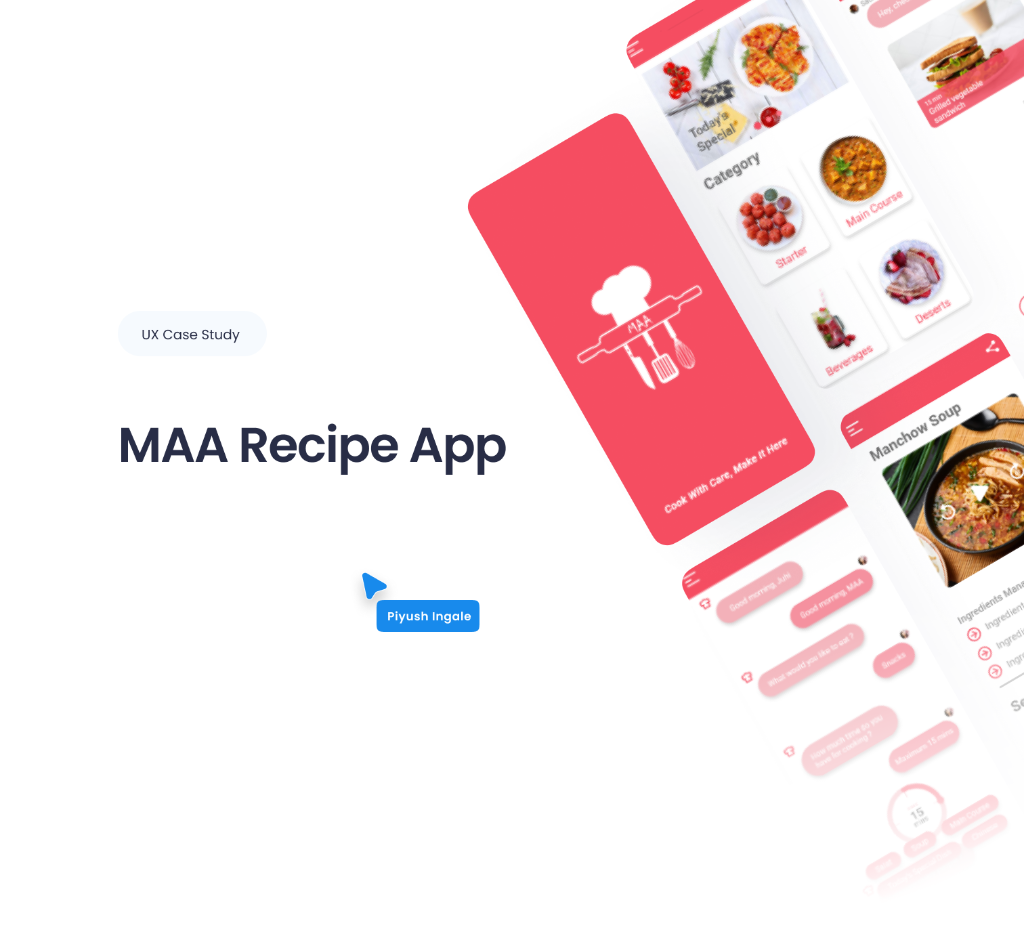
MAA - Recipe App Portfolio
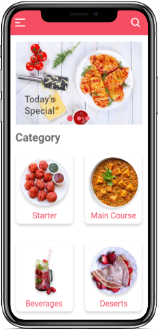
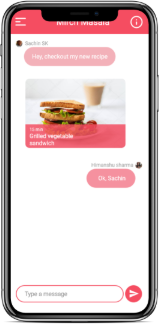
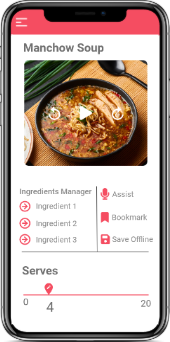
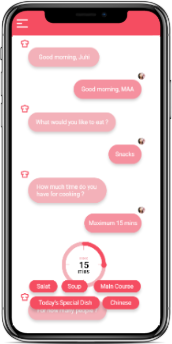
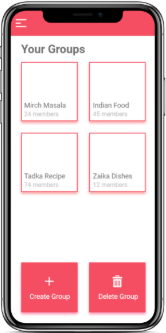
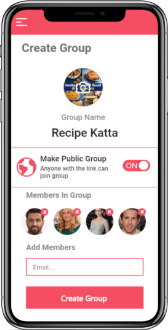
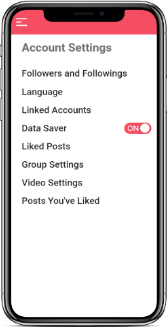
This Figma file contains the final high-fidelity mockups for the MAA Recipe App landing page, fully prepared for development in Dev Mode. All layers are organized using a strict naming convention, and the design utilizes a robust system of design tokens for typography and color consistency. Developers can find detailed annotations for spacing, interaction states for all variants, and direct links to documentation within the components to ensure a high-fidelity translation from design to code.
Client
Piyush Ingale
Release Date
12th December 2024
Problem Statement
Modern home cooks often find the cooking process stressful rather than enjoyable when following digital recipes. Current platforms rely heavily on manual navigation, forcing users to constantly touch their screens with messy hands to play, rewind, or pause video tutorials. This physical friction disrupts the cooking flow, leads to potential device damage, and causes frustration, ultimately discouraging users from trying new dishes.
The Challenge: How might we create a hands-free, multilingual cooking experience that allows users to focus on the food rather than the interface?
Objectives & Goals
Our mission is to bridge the gap between digital instructions and physical cooking through voice-controlled navigation and personalized, multilingual content.
Methodology
Our Design Process
We follow a structured design thinking approach to ensure every decision is backed by user research and creative problem-solving.
Empathize
Deep research to understand user needs, pain points, and behaviors through interviews and observation.
Define
Synthesizing research to create clear problem statements and project goals for the design phase.
Ideate
Brainstorming and mapping out user flows, information architecture, and rapid sketching of solutions.
Prototype
Developing interactive high-fidelity mockups that simulate the final product experience and flow.
Test
Validating the design with real users to identify improvements and ensure product-market fit.
User Centered Design Canvas
We designed UCD Canvas to deeply understand the needs, expectations and experiences of users, ensuring that the project progressed with user-centered approach.
3. Problems
- 1. No User Interaction
- 2. No option to upload own recipes.
- 3. No creation of groups for sharing recipes.
- 4. No Video mentors to guide.
- 5. No differentiation of recipes based on category.
- 6. Language issues.
4. Motives
- 1. To make user friendly application.
- 2. Multilingual recipes.
- 3. Recipe history in profile.
- 4. Personalized recommendations.
5. Fears
- 1. Promotion barriers
- 2. User adaptability
1. Business
"Cook With care, Make it here" — Food Recipe application.
2. Users
- • Housewives
- • Working individuals
- • Cooking enthusiasts
- • Students
- • Health conscious
Age: 15-60 years
9. Unique Value Prop
Your personal assistance to make dishes of your own choice with ease.
8. Comp. Advantages
- 1. Voice Assistance
- 2. AI Customization
- 3. Multi-language
- 4. Group Sharing
- 5. Ingredient Selling
- 6. Audio/Video/Text
7. Alternatives
- • Cook Pad, Better butter
- • Tarla Dalal, Tadka
- • Hebbar's Kitchen
6. Solutions
- 1. Offline sharing
- 2. Regional customization
- 3. Ingredient marketplace
- 4. User reviews & ratings
- 5. Recipe uploads
- 6. Multimodal forms
- 7. Categorized recipes
- 8. Multi-language
- 9. Ingredient manager
User Interviews
We designed open-ended questions to deeply understand the needs, expectations and experiences of users, ensuring that the project progressed with user-centered approach.
Ice breaking with user
- 1. What is your name?
- 2. Age
- 3. Gender
Usage
- 1. What has been your experience using recipe applications?
- 2. How often do you use application?
- 3. What do you consider to be the possible advantages of using applications?
- 4. Do you like video or images with textual instructions?
Introduction
- 1. What is your Profession?
- 2. Do you like cooking?
- 3. Do you use recipe application in your mobile?
- If yes, Which Application you use?
- If no, Are you aware of recipe applications?
Aspirations
- 1. What features would you expect from a recipe application?
- 2. While choosing a recipe application which factors are most important to you?
- 3. Which is your preferred way of seeing recipe?
Survey Results
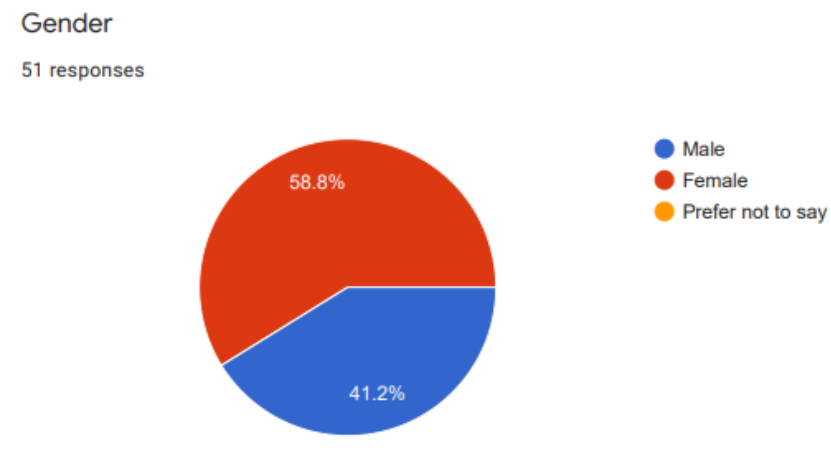
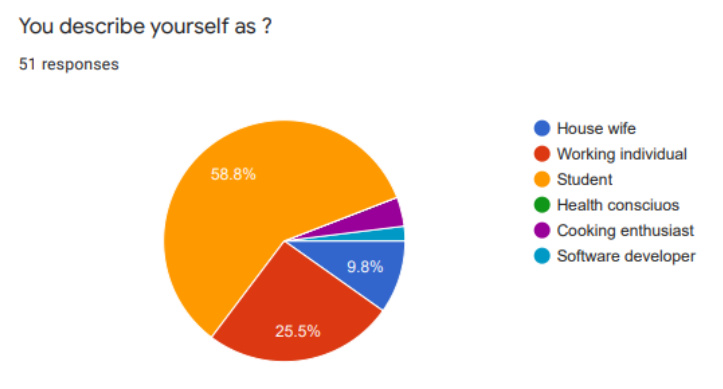
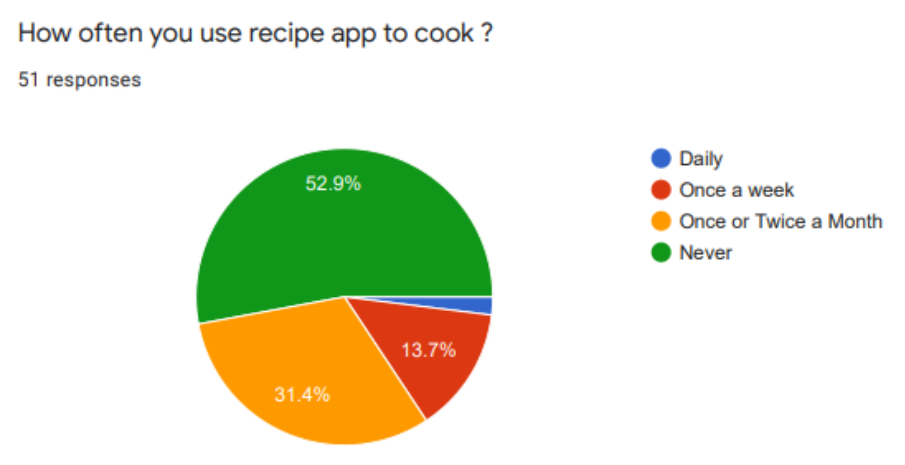
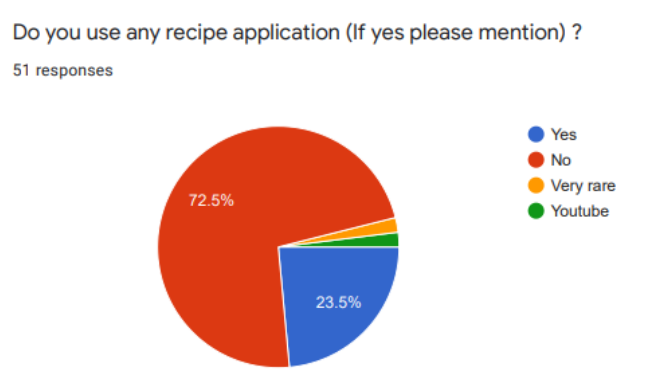
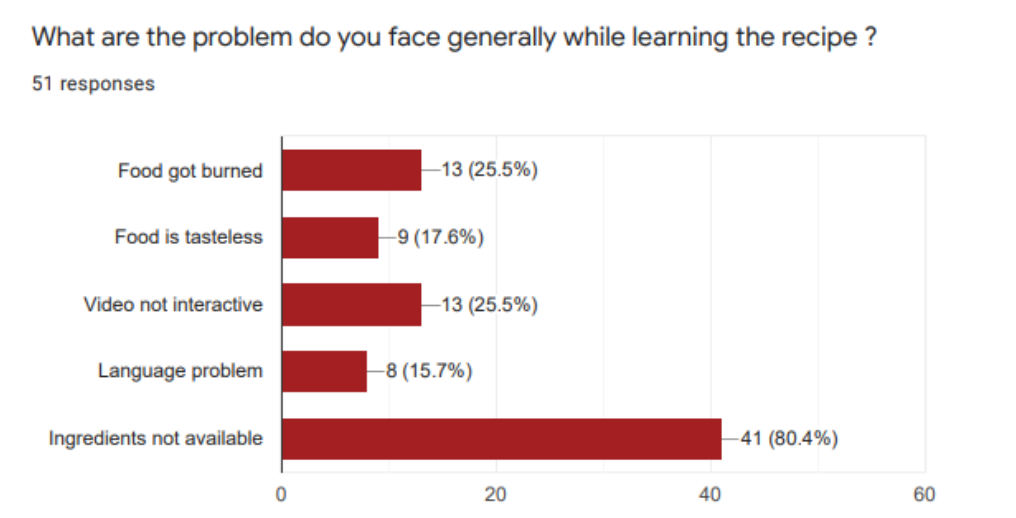
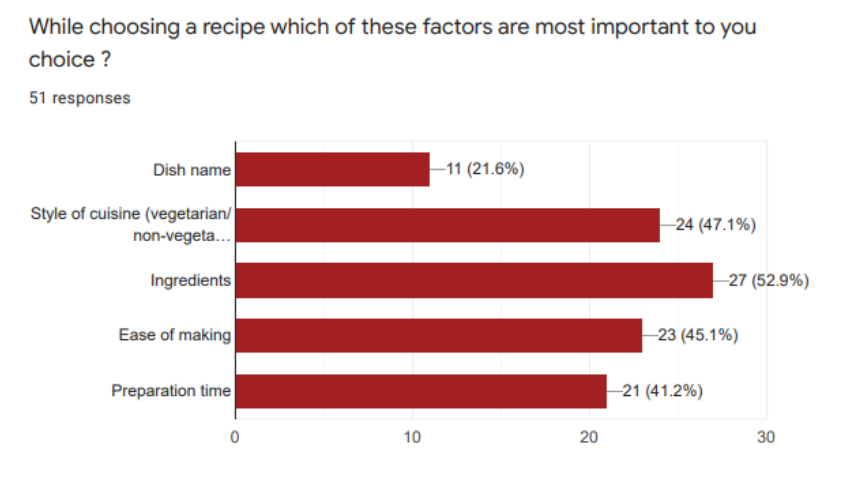
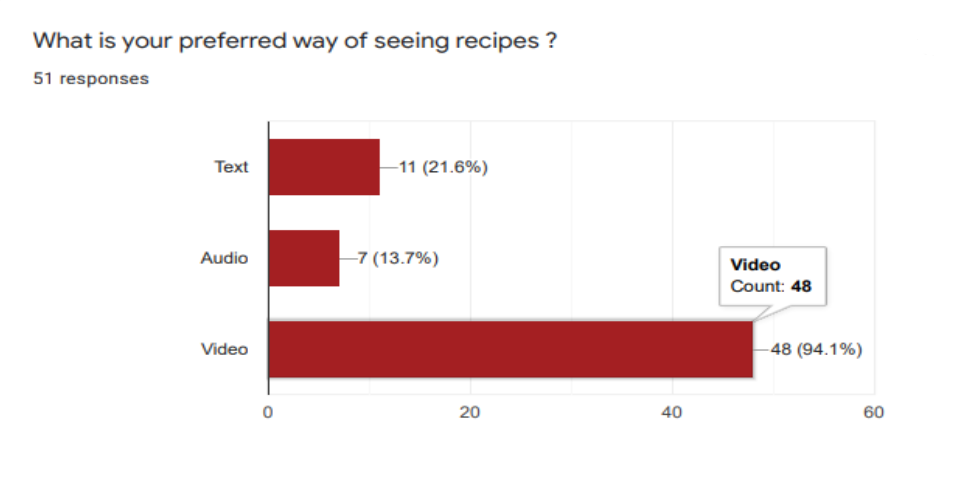
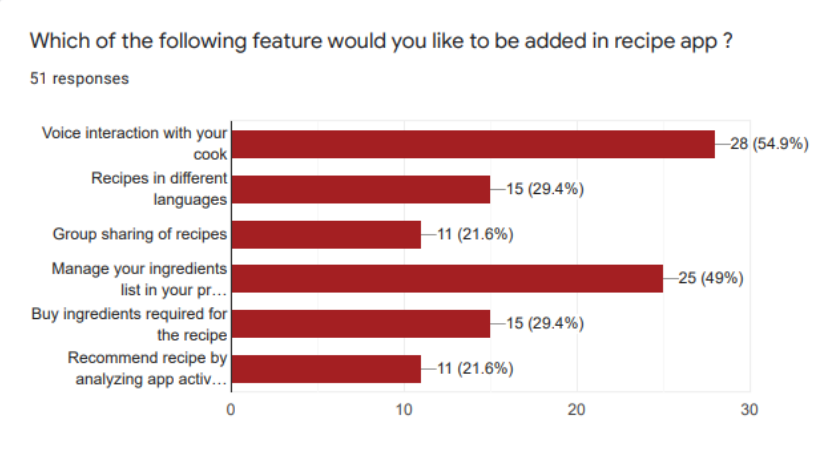
We did an online survey using Google Forms to observe any patterns and similarities in what the potential users may want. A total of 51 users responded, which assisted us in framing the problem properly.
User Persona
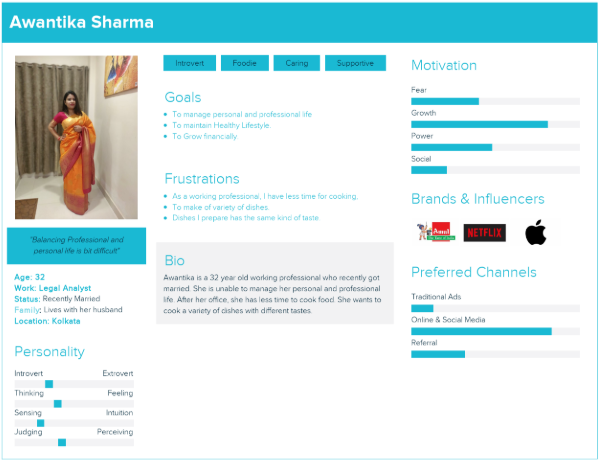
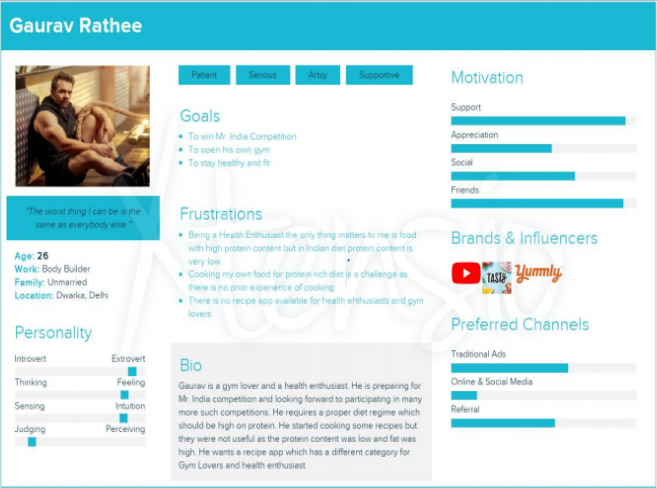
Using data from user research, We created user personas representing different user groups. These personas guide the project in user-centered design.
Affinity Map
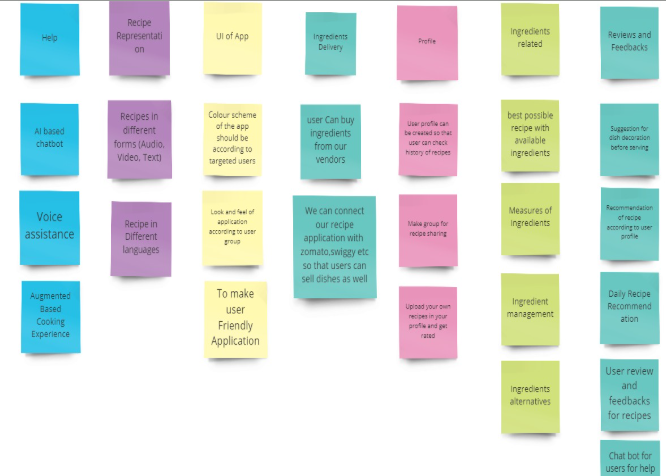
Affinity mapping was done to categorise all the features under different sections which will further help in organising the information architecture.
User Flow
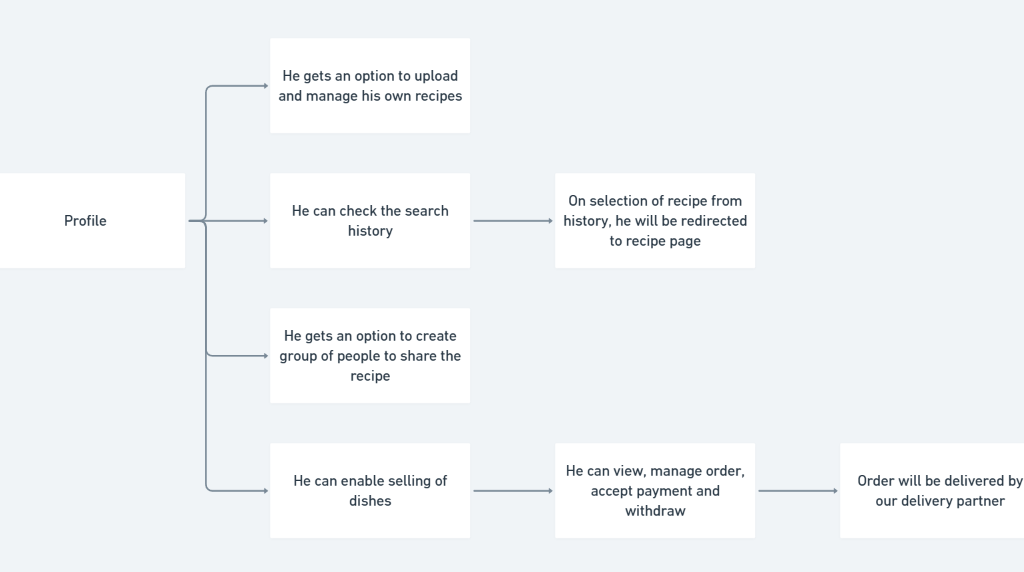
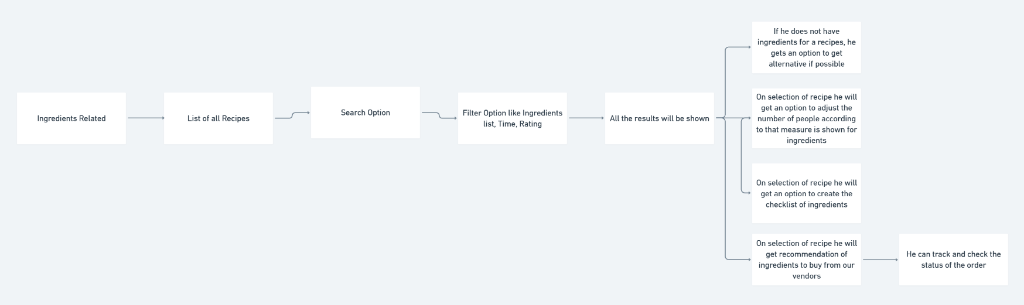
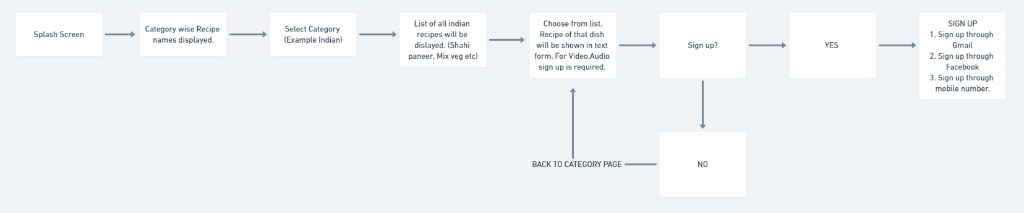
We created a flow using Whimsical to illustrate how the user will navigate through the application.
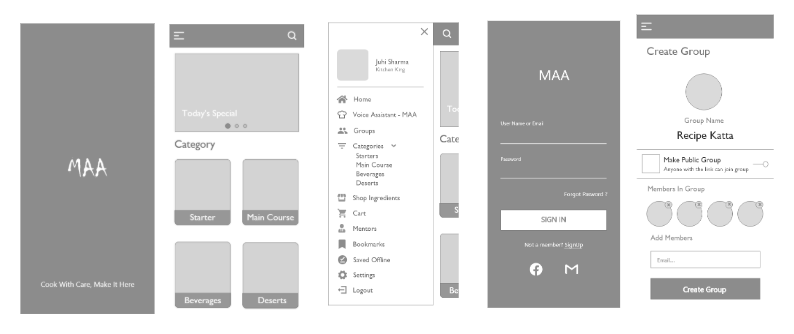
Low-Fidelity Wireframes
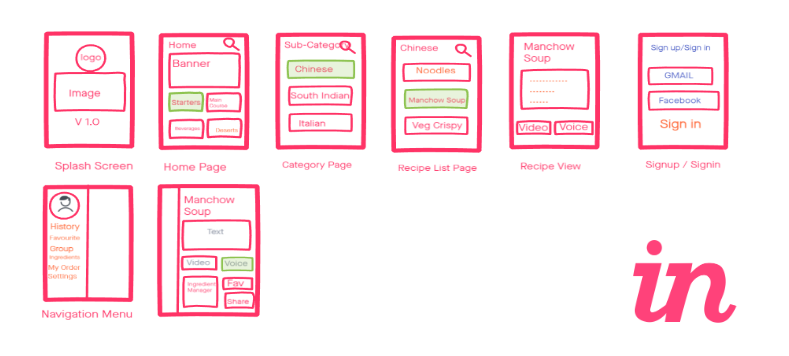
We sketched the low fidelity wireframes in invision studio.
High-Fidelity Wireframes
After making changes in low-fidelity wireframes we moved on to designing this high fidelity wireframes.
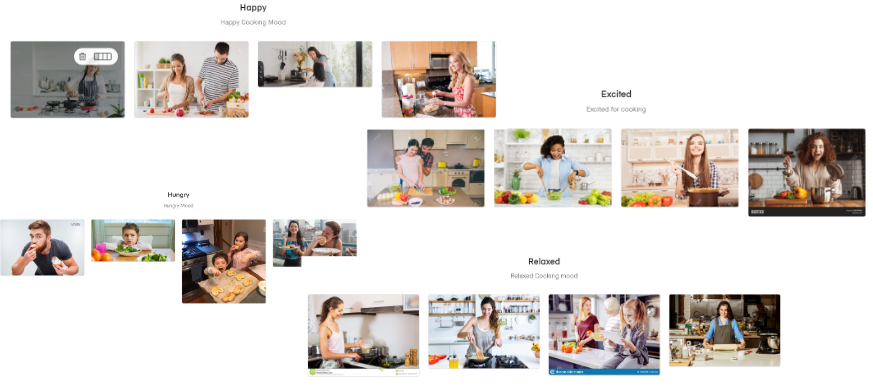
Mood Board
Mood board help in deciding the right color pallate for user interface.
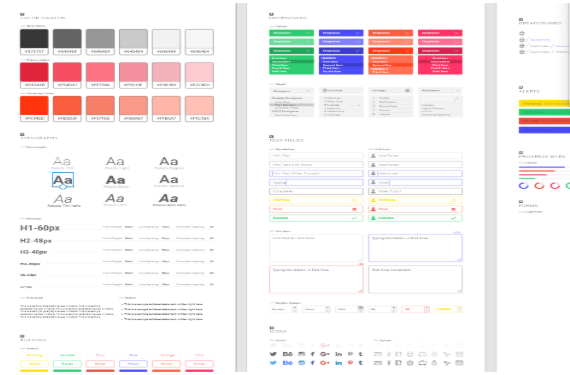
Style Guide
Defining the visual language and core components to ensure design consistency across the platform.
Prototype
Prototypes are detailed representations of the interface, showcasing the final layout, typography, colors and components. They provide realistic view of the user experience, making it easier to validate visual decisions and prepare for development.